

Ask a Lahore business owner where they rank on Google Maps and they will search their keyword from their own office. They see themselves at number one and relax.
Then a customer in Model Town searches the same keyword and the business does not appear at all.
Map rankings change with the searcher’s location. A single check from your shop tells you almost nothing. A geo-grid scan shows the full picture: how you rank from dozens of points across your service area. This walkthrough shows how to set one up for Lahore, how to read it, and how to fix the weak zones.
Why Lahore Map Rankings Vary So Much
Google ranks local results on three main factors: relevance, distance and prominence. In Lahore, distance hits harder than in most cities for three reasons:
- Density: Gulberg, Johar Town and DHA each have hundreds of competing businesses in popular categories.
- Spread: Lahore stretches from the Walled City to Bahria Town and Raiwind Road. A clinic in Gulberg is a long drive from Lake City customers.
- Society boundaries: Customers search by housing society names. Google’s understanding of those boundaries affects which listings it shows.
So a dentist might hold position 1 within 1 km of the clinic and drop off the map entirely at 5 km.
What a Geo-Grid Scan Actually Is
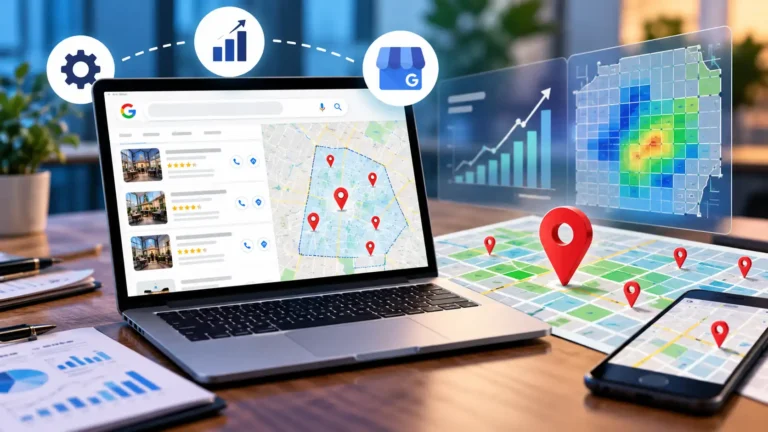
A geo-grid scan simulates the same search from many GPS points arranged in a grid around your business. Each point records your map ranking. The result is a heatmap: green where you rank in the top 3, yellow for positions 4 to 10, red where you are missing.
Choosing Grid Size and Spacing
| Business Type | Suggested Grid | Point Spacing | Coverage |
| Restaurant, cafe, pharmacy | 7 x 7 | 0.5 km | About 3 km across |
| Clinic, salon, gym | 7 x 7 or 9 x 9 | 1 km | About 6 to 8 km across |
| Home services (AC, plumbing, pest control) | 9 x 9 or 13 x 13 | 1.5 to 2 km | Most of central and south Lahore |
| Real estate office, car dealer | 9 x 9 | 2 km | Large catchment across societies |
Match the grid to how far customers actually travel. A cafe does not need to rank in Raiwind. An AC repair company does.
Choosing Keywords to Scan
Scan 3 to 5 keywords per location, mixing:
- Your primary category term (“dentist”)
- A service term (“teeth whitening”)
- A “near me” version (“dentist near me”)
- A city or area modifier only if people really use it (“dentist in Johar Town”)
The Metrics That Matter
| Metric | What It Tells You | Healthy Benchmark |
| Average rank across all points | Overall map strength in the area | Below 5 in your core zone |
| Top-3 coverage | Share of grid points where you appear in the 3-pack | 40% or more for core keywords |
| Not-found points | Points where you are not in the top 20 | Shrinking month over month |
| Competitor frequency | Which competitors appear most across the grid | Tells you who to study |
Top-3 coverage is the number to watch. The 3-pack gets most clicks. Position 8 on a map list gets very few.
Walkthrough: A Dental Clinic in Johar Town
Here is how a typical scan reads, using a single-location clinic as an illustration.
Step 1: Baseline Scan
A 9 x 9 grid at 1 km spacing for “dentist near me” shows:
- Green cluster of about 12 points around the clinic
- Yellow ring to the north toward Wapda Town
- Red across Model Town, Garden Town and Faisal Town
- Top-3 coverage of 15%
Step 2: Find Out Who Wins the Red Zones
Look at the top 3 in the red areas. Usually it is a mix of clinics physically located there and one or two strong brands with high review counts. Note their categories, review volume, review recency and website structure. A broader SEO competitor analysis of the same businesses often explains the gap.
Step 3: Diagnose the Gap
| Finding | Likely Cause | Action |
| Strong near office, weak everywhere else | Low prominence (reviews, links) | Review velocity, local links, citations |
| Weak even near office | Relevance issue (wrong category, thin profile) | Fix primary category, services, description |
| Patchy, random green and red | Inconsistent NAP or duplicate listings | Clean citations, remove duplicates |
| Competitor wins with fewer reviews | Their website is stronger for the keyword | Improve service and location pages |
In our example, the clinic had 48 reviews against competitors with 300 or more, a generic “Dentist” category, and no service pages for implants, braces or whitening.
Step 4: Fix Relevance First
- Changed the primary category to the most specific option matching the core service.
- Added every service with descriptions in the Business Profile.
- Built dedicated service pages on the website for each major treatment.
- Added content about the neighbourhoods served, written for patients, not search engines.
Location and service pages need real substance to work. That is where proper SEO content writing earns its cost. For WordPress sites, structured data and internal linking from WordPress SEO make those pages easier for Google to connect to the profile.

Step 5: Build Prominence
- Ask every patient for a review, with a QR code at reception and a WhatsApp follow-up
- Earn mentions from local community pages, health portals and society associations
- Build consistent citations on Pakistani business directories
- Post weekly updates and new photos
Step 6: Re-Scan Every 30 Days
After 90 days in a scenario like this, top-3 coverage commonly moves from around 15% to 35% or 40%, with green spreading north and east. The furthest red zones may never turn green, and that is fine. Distance is a hard limit. Focus on the areas where your customers actually come from.
Area-by-Area Tactics for Lahore
| Zone | Competition Level | What Usually Moves Rankings |
| Gulberg and MM Alam Road | Very high | Reviews volume and recency, strong brand mentions |
| DHA Phases 1 to 8 | High | Specific categories, premium photos, DHA-focused content |
| Johar Town and Wapda Town | High | Service pages, review detail, local links |
| Model Town, Garden Town, Faisal Town | Medium to high | Area mentions in reviews and website content |
| Bahria Town and Lake City | Medium | Separate location pages if you serve them, accurate service areas |
| Walled City and Anarkali | High for retail | Accurate pin location, clear storefront photos |
Five Heatmap Patterns and What They Mean
Once you have run a few scans, the shapes start to repeat. Here is how to read them.
The tight dot. Green only within a few hundred metres of the office, red everywhere else. Proximity is doing all the work. Your profile has almost no prominence. Reviews and local links are the fix.
The lopsided ring. Green spreading in one direction but not the other. Usually a strong competitor sits on the weak side, or a major road like Canal Road or Ferozepur Road acts as a psychological boundary in how people search. Study the competitor on that side first.
The donut. Weak at the centre, stronger further out. This is rare and usually means a competitor is located right next to you with a stronger profile, or your map pin sits in the wrong spot. Check the pin before anything else.
The scatter. Random green and red points with no clear shape. That often signals conflicting data: duplicate listings, an old address still live on directories, or two phone numbers in use. Clean up citations before investing elsewhere.
The flat red. Not ranking anywhere, even beside the office. That is a relevance or eligibility problem. Check that the listing is verified, not suspended, and in the right primary category.
Pair the Grid With Organic Data
A geo-grid tells you where you rank on the map. It does not tell you whether those rankings bring calls. Connect the two by checking Google Business Profile insights for calls, direction requests and website clicks each month, and tagging the website link with UTM parameters so GA4 shows map visits separately from organic visits. If map visibility rises but calls do not, the issue is the listing itself: photos, reviews or a weak description that fails to convince.
If you want a clear starting point, a free web audit report from our team includes a review of your Business Profile and local signals.
Multi-Branch Businesses
If you have several branches, each one needs its own verified profile, its own location page and its own review stream. Do not point every profile at the homepage. Run separate grids per branch so you can see where branches compete with each other.
Common Mistakes That Hurt Map Rankings
- Stuffing “Lahore” or keywords into the business name
- Using a virtual office address
- Creating extra listings for the same location
- Buying reviews or offering discounts in exchange for them
- Ignoring the website, which still feeds relevance
Industry Note: Real Estate and Property Offices
Property offices fight national portals in organic results but can still win the map pack for “property dealer in DHA” style queries. A focused real estate SEO plan combines map work with locality pages.
Frequently Asked Questions
How often should I run a geo-grid scan?
Monthly is enough for most businesses. Run an extra scan after big changes like a category switch or a site launch.
Can I rank across all of Lahore from one location?
Rarely, in competitive categories. Proximity limits how far one profile reaches. Organic rankings and location pages cover areas the map pack cannot.
Do Google Posts help map rankings?
Indirectly. They keep the profile active and feed AI answers, but reviews, categories and website relevance matter more.
Map Your Visibility Across Lahore
If you want to see where you really rank, our team handling digital marketing in Lahore can run a baseline scan and turn it into a 90-day plan. Read our local SEO guide for small businesses in Lahore, see how a jewellery wholesaler climbed to the top of search results, or start with our small business SEO service. You can also book a free strategy call to review your first grid together.